Synodic
A budgeting app for Gen Z that pairs a daily astrology reading with your real spending. I designed it and built it with Claude.
- Accounts
- 5 Bank of America, Capital One, Bilt, Marcus and Robinhood
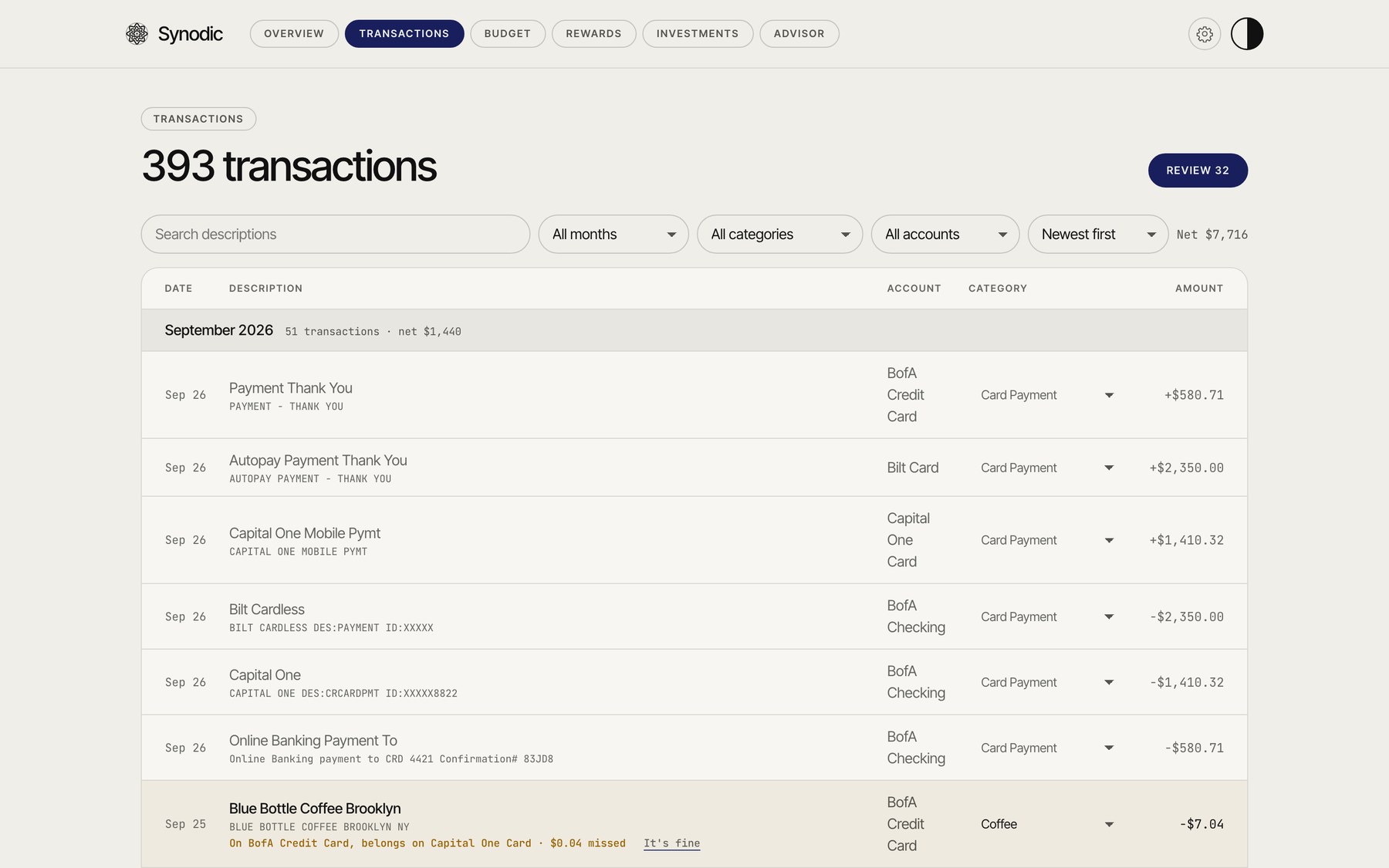
- Wrong card
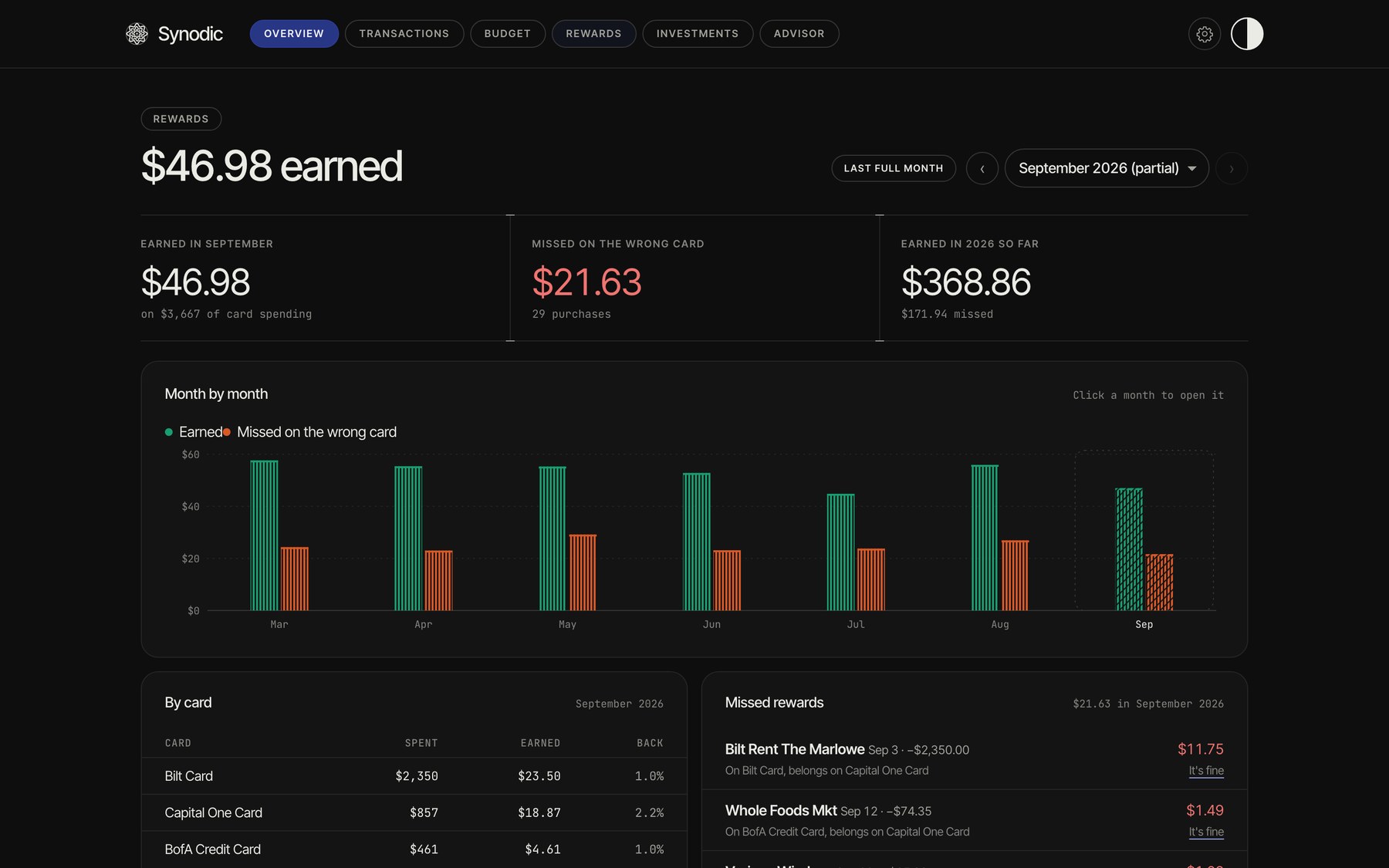
- $21.63 Rewards missed in one sample month, flagged by purchase
- Platforms
- 3 Mac, iPhone and a home screen widget
[ 01 overview ]
Your month at a glance
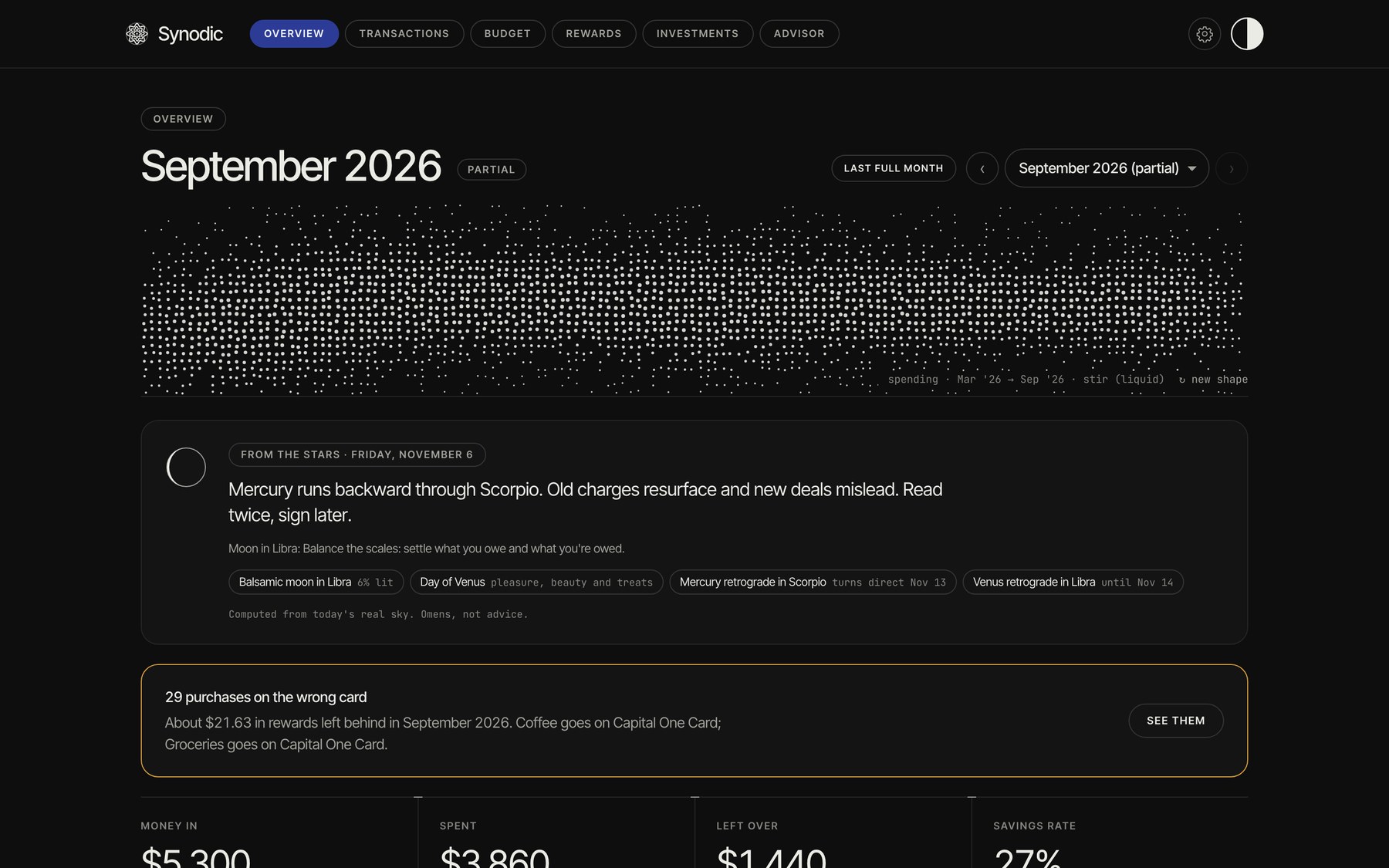
The home screen draws the month as a pattern made from your spending, then shows money in, spent, left over and your savings rate. The pattern moves with your cursor and redraws in a new style on request. Light and dark modes are both designed.
[ 02 astrology ]
From the stars, every morning
A daily reading calculated from the real sky, with the moon phase, the day’s planet and any retrogrades, turned into a money tip. It gives people a reason to open the app every day.
[ 03 budget ]
A budget that keeps pace with you
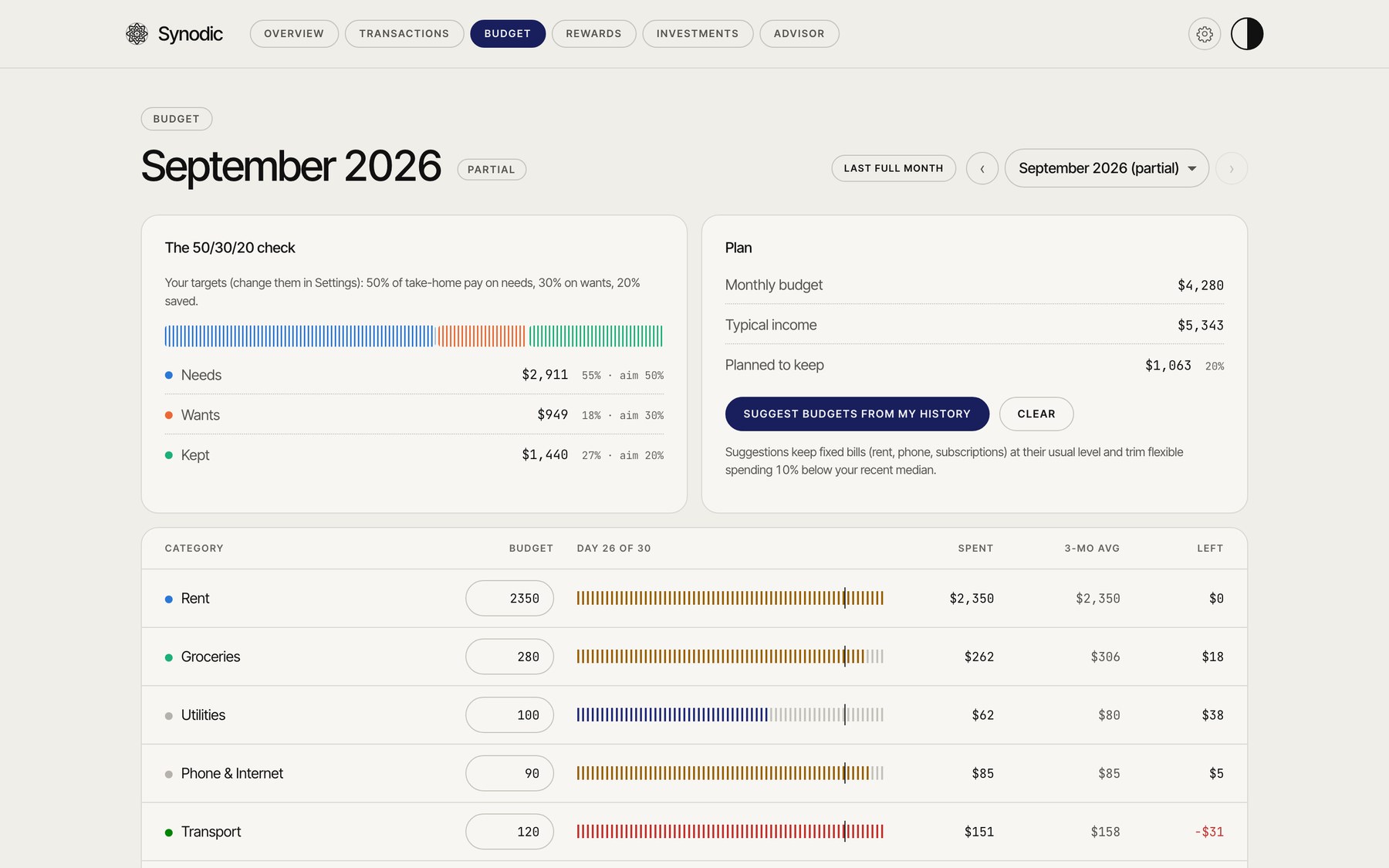
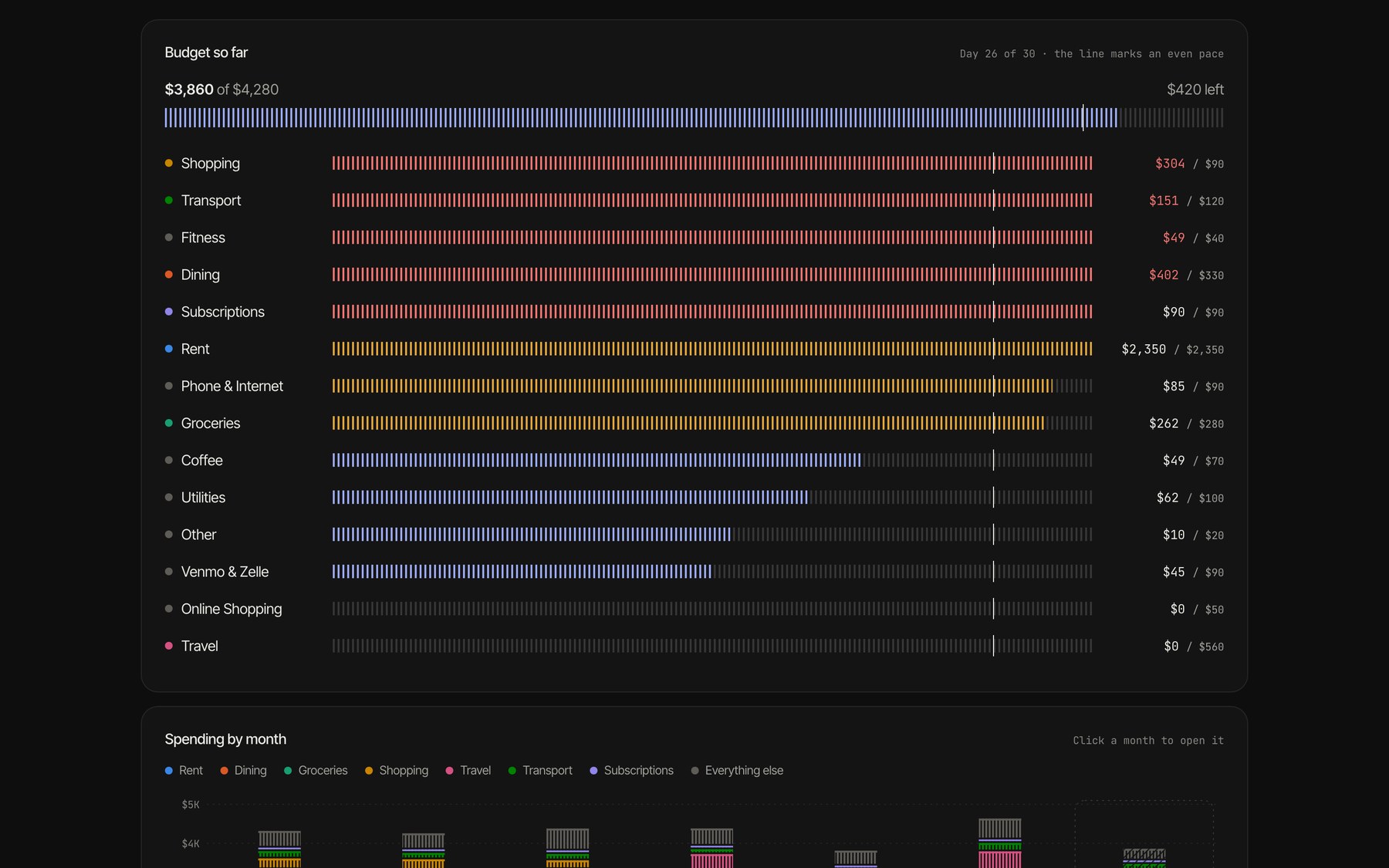
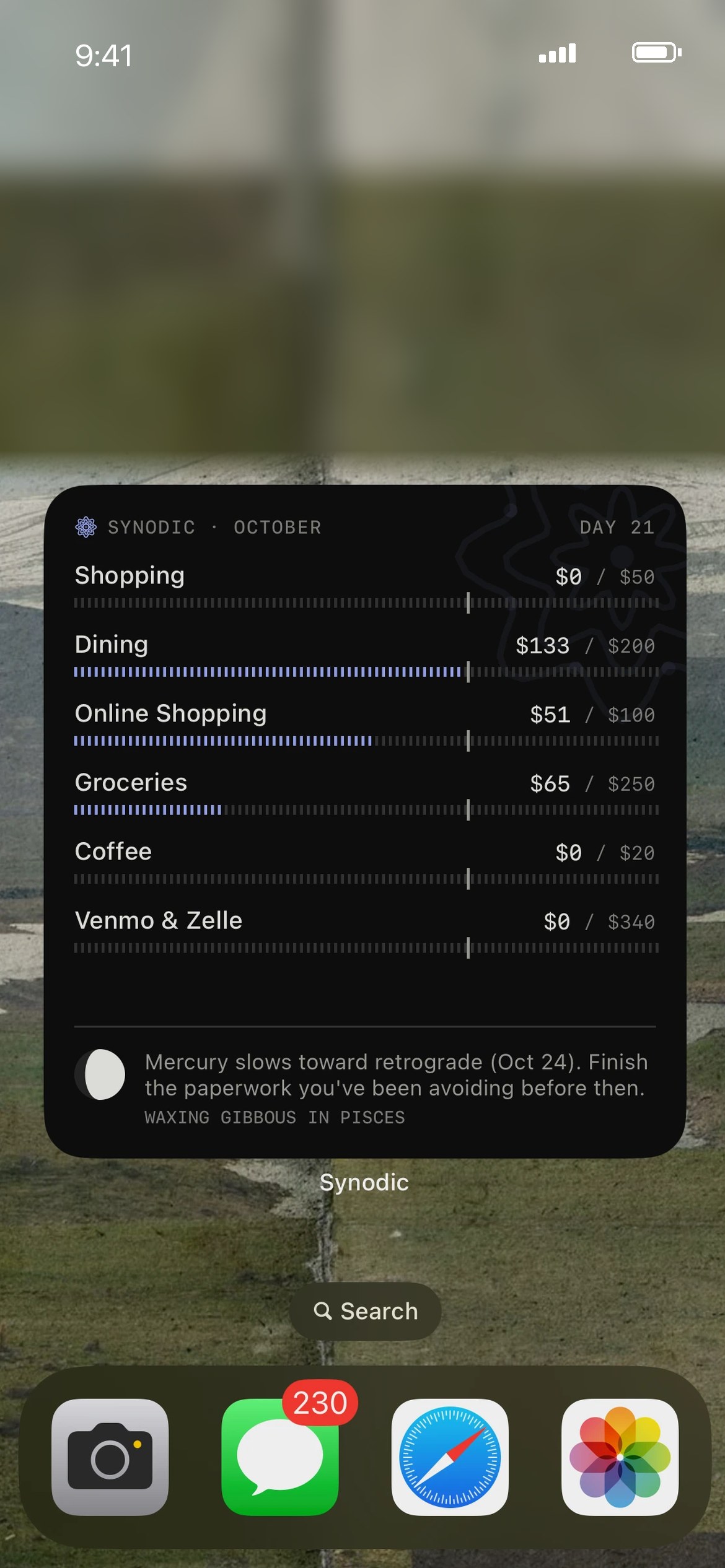
Each category fills toward a marker for where spending should be on that day of the month, so overspending shows up early. A 50/30/20 check and one-click budgets from your history do the setup.
[ 04 rewards ]
The wrong card, caught
Synodic knows what each credit card earns, flags any purchase made on the wrong one, names the right card and counts the points lost. On iPhone it sends an alert as it happens.
[ 05 ai advisor ]
Ask it anything
An AI advisor powered by Claude that answers questions about your own finances, like what to cut or which subscriptions you forgot, using your actual numbers.
[ 06 widget ]
The budget on your home screen
The iPhone widget shows your key categories paced against the day, plus the moon phase and the week’s reading, right on the home screen.
[ 07 accounts ]
Robinhood and every account in one place
Synodic reads your Robinhood activity to track holdings, cost and dividends, alongside every bank and card account in one ledger.